New Feature: Introducing Restricted Fields for Public Forms
We're delighted to roll out a new feature available to Festival customers, using Public Forms for volunteer registration, press accreditation and more - "Restricted Fields".
What Are Restricted Fields?
When you collect information through a public form, not all fields carry the same sensitivity. A name or a t-shirt size is harmless to display openly. A national ID number, passport number, or personal tax identifier is a different matter. Restricted fields let you collect that kind of sensitive personal data through your public form while keeping the responses locked away from casual viewing - visible only to the festival admins.
Configuring a Field or Section as Restricted
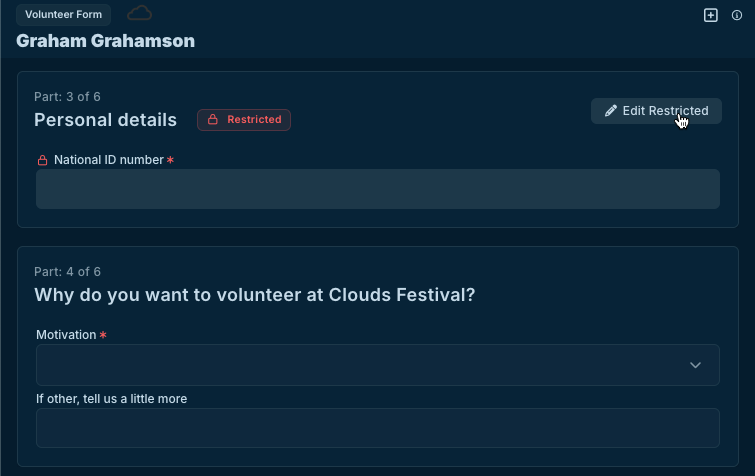
When building a public form, you can mark sections as restricted. If you have an entire section that deals with sensitive information, you can mark the whole section as restricted and every field within it will be restricted automatically. Any field type can be restricted - text, numbers, dates, file uploads, and so on.
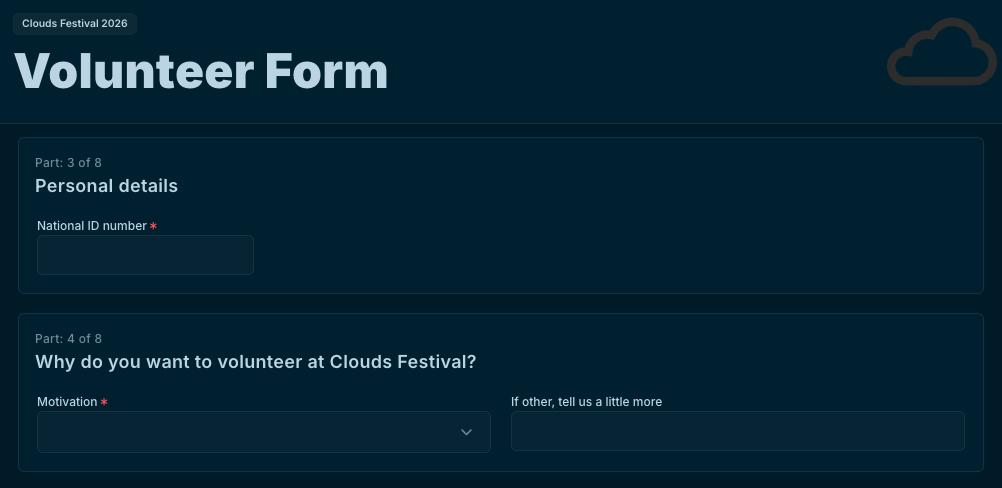
From the responder's perspective, restricted fields look and behave like any other field in the form, with a small lock icon to indicate they're sensitive. They fill them in as normal. The difference only becomes apparent after submission, in who can see the answers and how.
Who Can See Restricted Field Responses
Once a form is submitted, restricted field answers behave differently from the rest of the response. Anyone reviewing responses will see the standard fields as normal, but restricted field values are hidden from view by default.
Only festival members who have been given full management access to the festival can view restricted field answers. People with more limited roles such as view-only or editing access will not be able to see them. This is intentional, to make sure sensitive personal data is only accessible to those who genuinely need it.
How Responders Can Edit Their Restricted Fields
A responder can update their standard answers at any time through their response page. Restricted fields work differently. To change a restricted field answer, the responder clicks the Edit Restricted button on their response page. This triggers an email to their address containing a secure link. The link is valid for 60 minutes. Clicking it opens a dedicated page showing only the restricted fields, where they can make changes and save. Once saved, the link expires and cannot be reused.