Scheduler
Visualise, plan, and perfect your festival schedule with drag and drop.
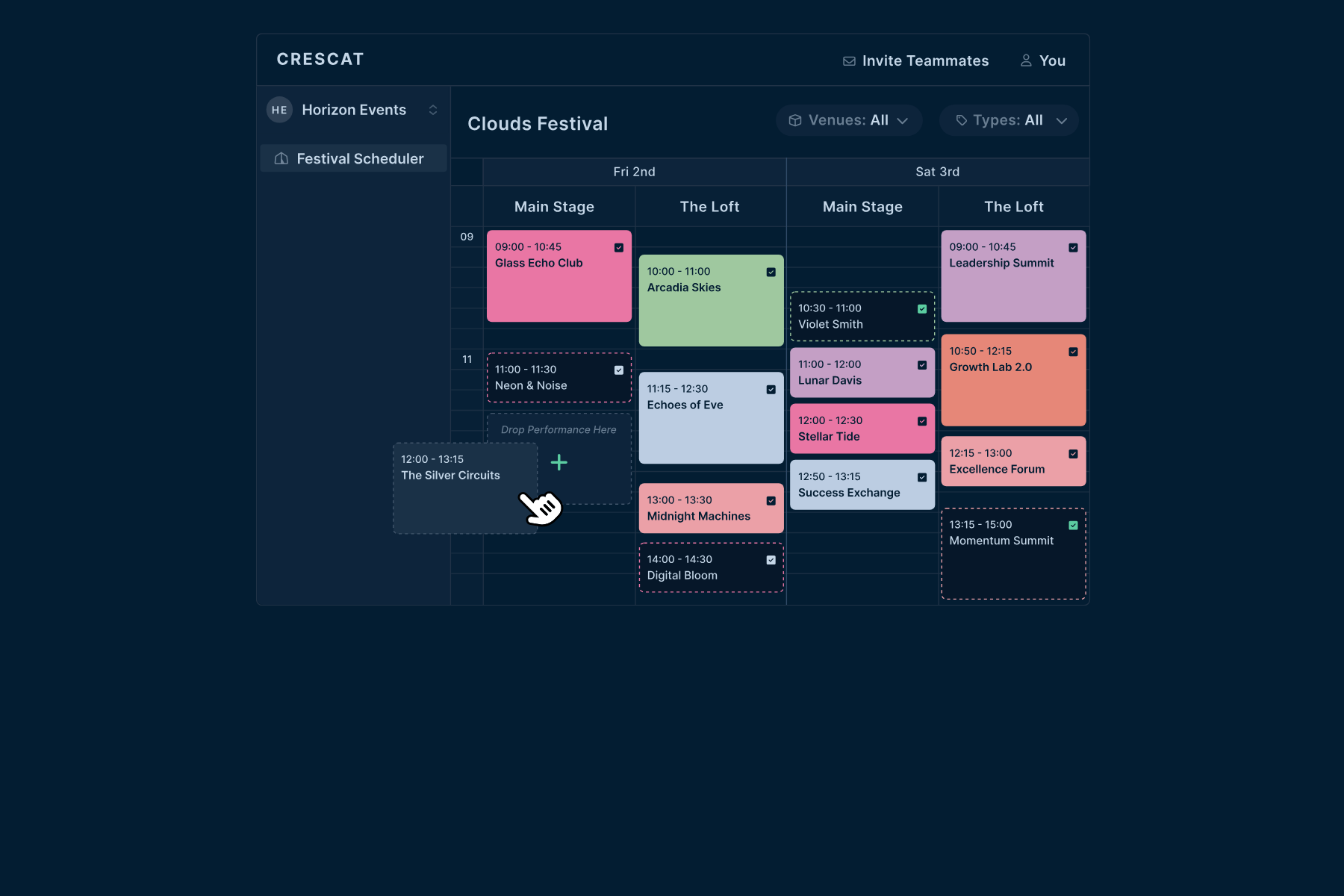
Build your festival line-up visually with the Scheduler. Drag and drop events, try out different line-ups for each day and stage, and lock it all in when your programme is final.
Plan Your Line-Up:
- Drag and Drop: Move events around the timeline until you find the right flow, and experiment with different set-ups.
- Placeholder Events: Add placeholders for events that aren't final yet, then confirm them as your schedule comes together.
- Event Types: Assign event types, such as music performances, workshops and talks, to give your schedule structure.
See It Your Way:
- Day View: An hour-by-hour breakdown of each day, so you can spot overlaps.
- Calendar View: An overview of your whole multi-day festival.
- Stage or Venue View: The schedule for each stage or venue, for better planning and more varied programming.
Stay in Control:
- Lock Your Schedule: Lock the finalised schedule to prevent accidental changes.
- Filter Your View: Filter events by venue and type to focus on what matters.
- Crew Shifts Follow: Shifts in Festival Sections that follow events move automatically when a show moves.
Benefits:
- Faster Scheduling: Build your line-up visually instead of in spreadsheets.
- Clear Communication: Internal teams and external stakeholders see the same schedule.
- Fewer Clashes: Spot overlaps before they become problems.
Once your line-up is set, manage every artist in Performances and keep stages on time with Stage Displays.