Feature Upgrade: Move Faster and Reuse Schedules with Event Timeline Upgrades
To streamline your daily operations, Crescat has introduced powerful enhancements to the Event Timeline. These updates target the tasks event planners perform most: adjusting timings on the fly, reusing successful past work, and making multiple changes in one go.
Bulk Adjustments with Multi-Select
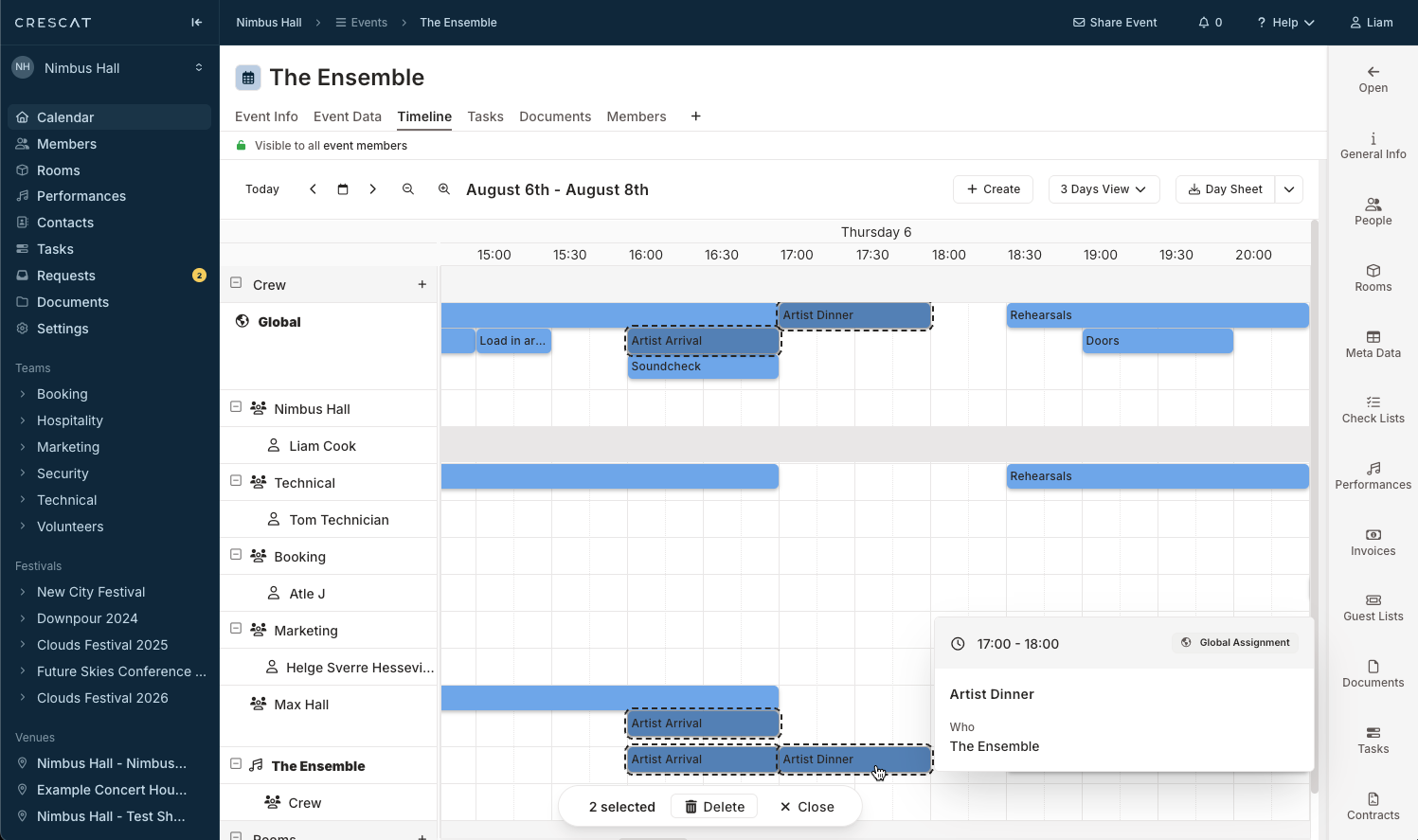
When unexpected schedule changes occur - such as a soundcheck slipping by 30 minutes - adjusting individual entries manually can slow down your momentum. Our new multi-select and multi-drag functionality provides an instant solution:
- Simultaneous Shifting: Select a block of multiple assignments and shift them all by the exact same amount of time in a single drag.
- Status Tracking: A dedicated toolbar tracks your selections in real time, displaying clear indicators like {n} selected as you modify the schedule.
- Fluid Timeline Continuity: The entire block slides together to its new slot, maintaining alignment across your rundown.
Save and Reuse Timelines
While importing templates has always helped kickstart an event, our latest enhancement completes the loop by allowing you to capture live work for future use. This new workflow simplifies long-term scheduling:
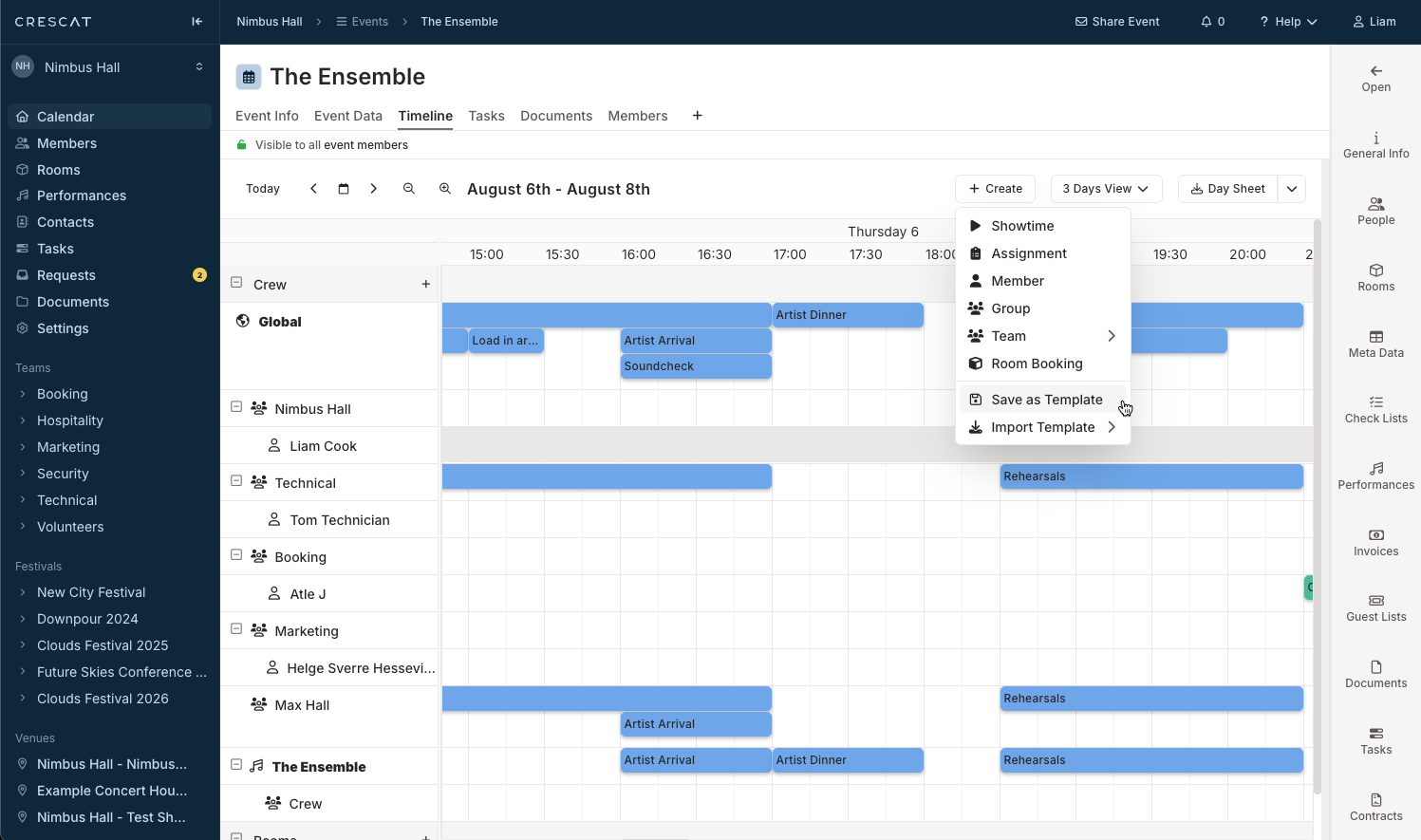
- Instant Template Creation: Click Save as Template to instantly capture a live event's entire timeline.
- Flexible Time Anchors: Choose whether to save your template using Absolute time or Relative to show time configurations.
- Effortless Distribution: Drop your saved layout onto a fresh event by choosing from Absolute Templates or Relative Templates menus, saving you even more time.
Quick Wins and Flexible Calendar Syncing
To keep your planning momentum uninterrupted, we have added several inline tools and viewing visualisations to the dashboard:
- In-Place Creation: Use the Create tool to generate essential schedule elements like a Showtime, Running Order, or Room Booking instantly on the page.
- Enhanced Layouts: Toggle between standard layouts and a clean List View to manage your templates easily.
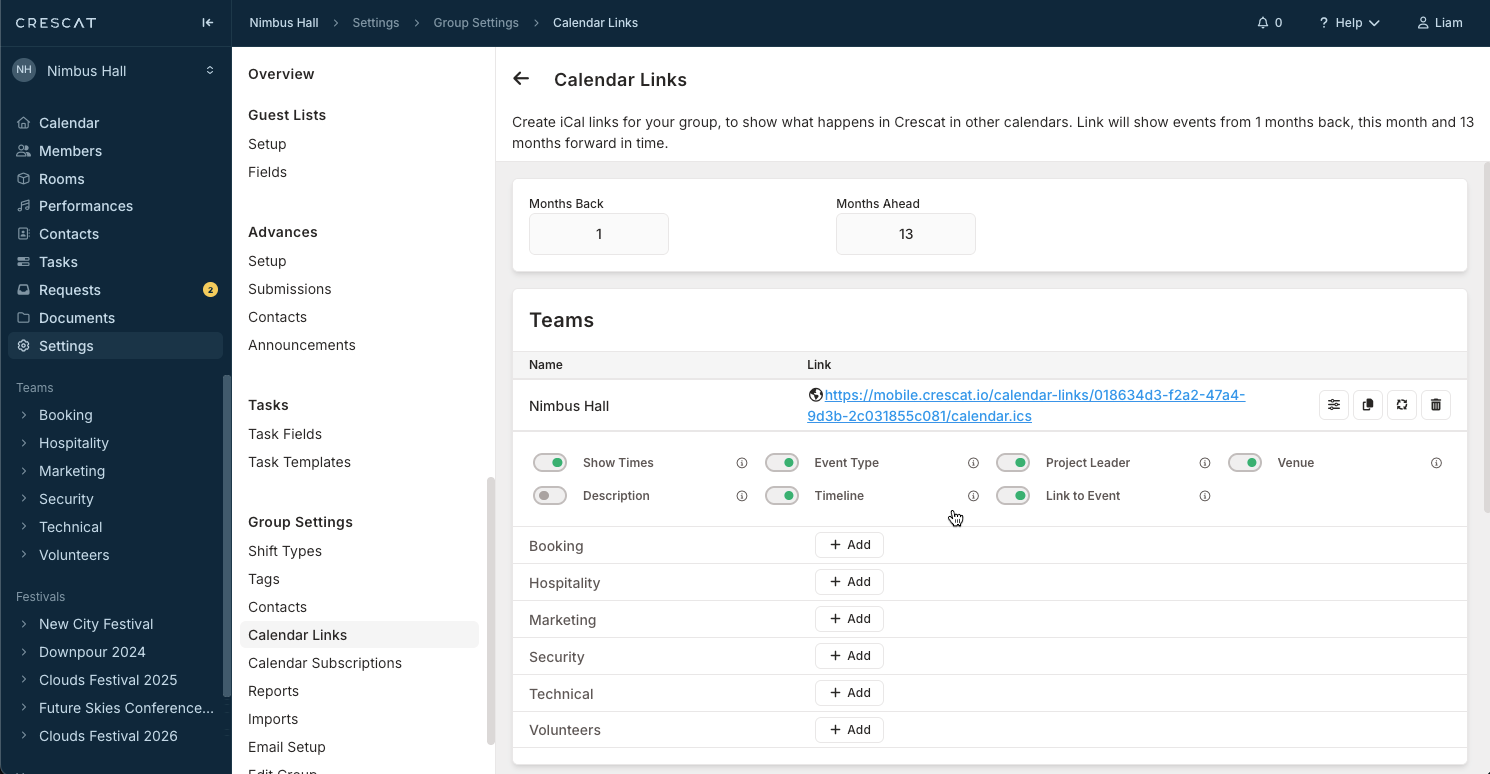
- Granular Calendar Syncing: Use the Calendar Links toggles to choose exactly what syncs to Google or Outlook, with options for Show Times, Timeline, or Link to Event to feed what you need to your external calendar.
The Result
By combining bulk movements with effortless template reuse, you eliminate administrative friction and keep your schedules easily organised.
The Event Timeline Upgrades are Available now for all users. Log in to your Crescat account today to experience a faster, more flexible way to manage your event schedules.