Feature Upgrade: Assign Work and Onboard Team Members Instantly with Enhanced Tasking
Managing event logistics means keeping track of countless moving parts. To streamline your workflow, Crescat has introduced powerful enhancements to Tasks, providing a centralised management experience. Your personal task list now gathers work from every organisation and festival you are part of, allowing you to group, filter, link, and rename your items from a single place.
The standout upgrade allows you to assign a task to anyone across your organisations, even if they aren't involved in the specific event yet, and bring them onto the project in a single click.
Inline Assignments and On-Demand Invites
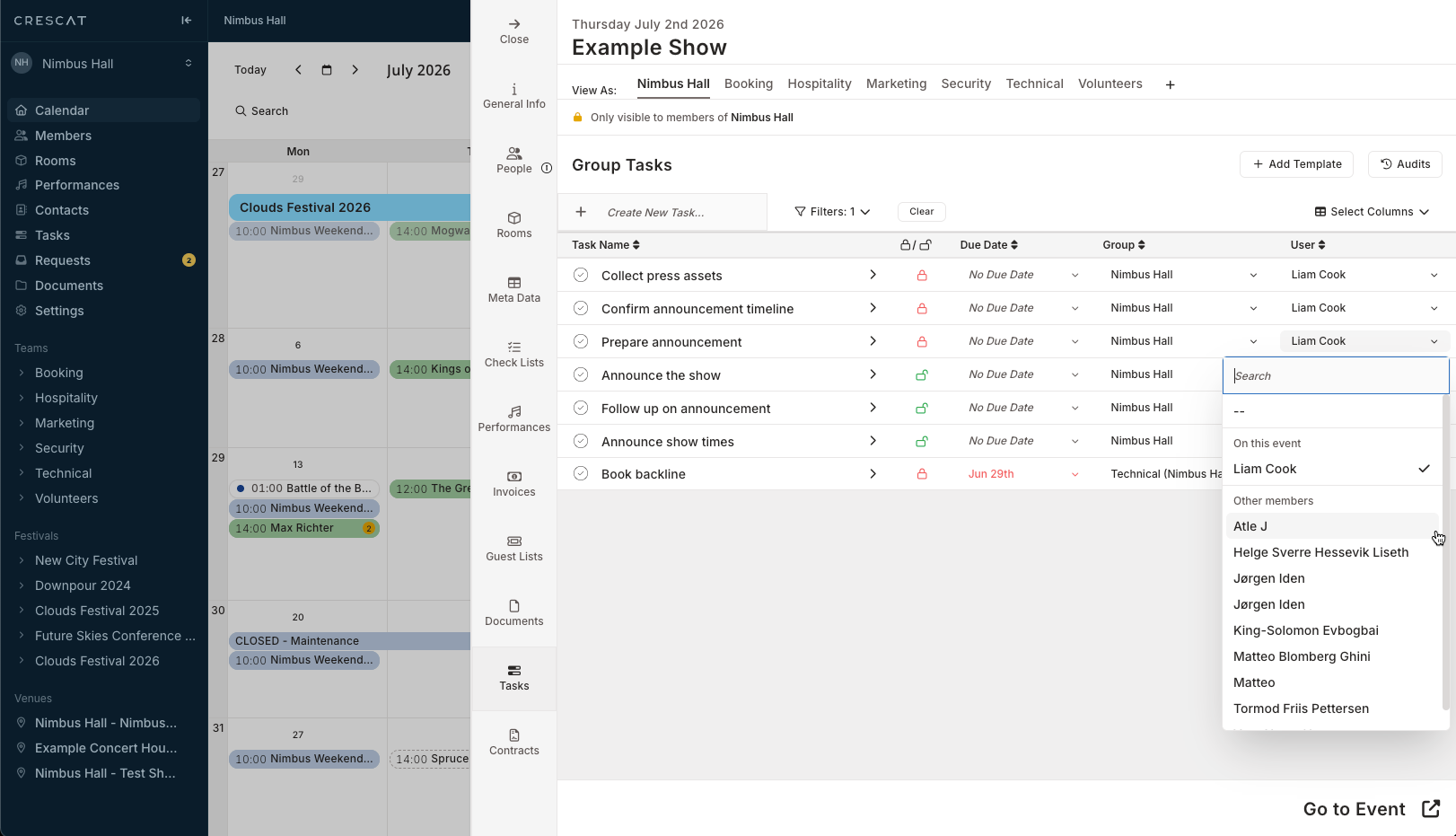
Planners no longer need to leave the event tasks their working on to invite a teammate first. When you open the assignee picker on a task showing No Assignee, the interface is split into clear sections:
- On this event: Displays team members already attached to the project.
- Other members: Lets you select colleagues from your wider organisation who haven't been added to the event yet.
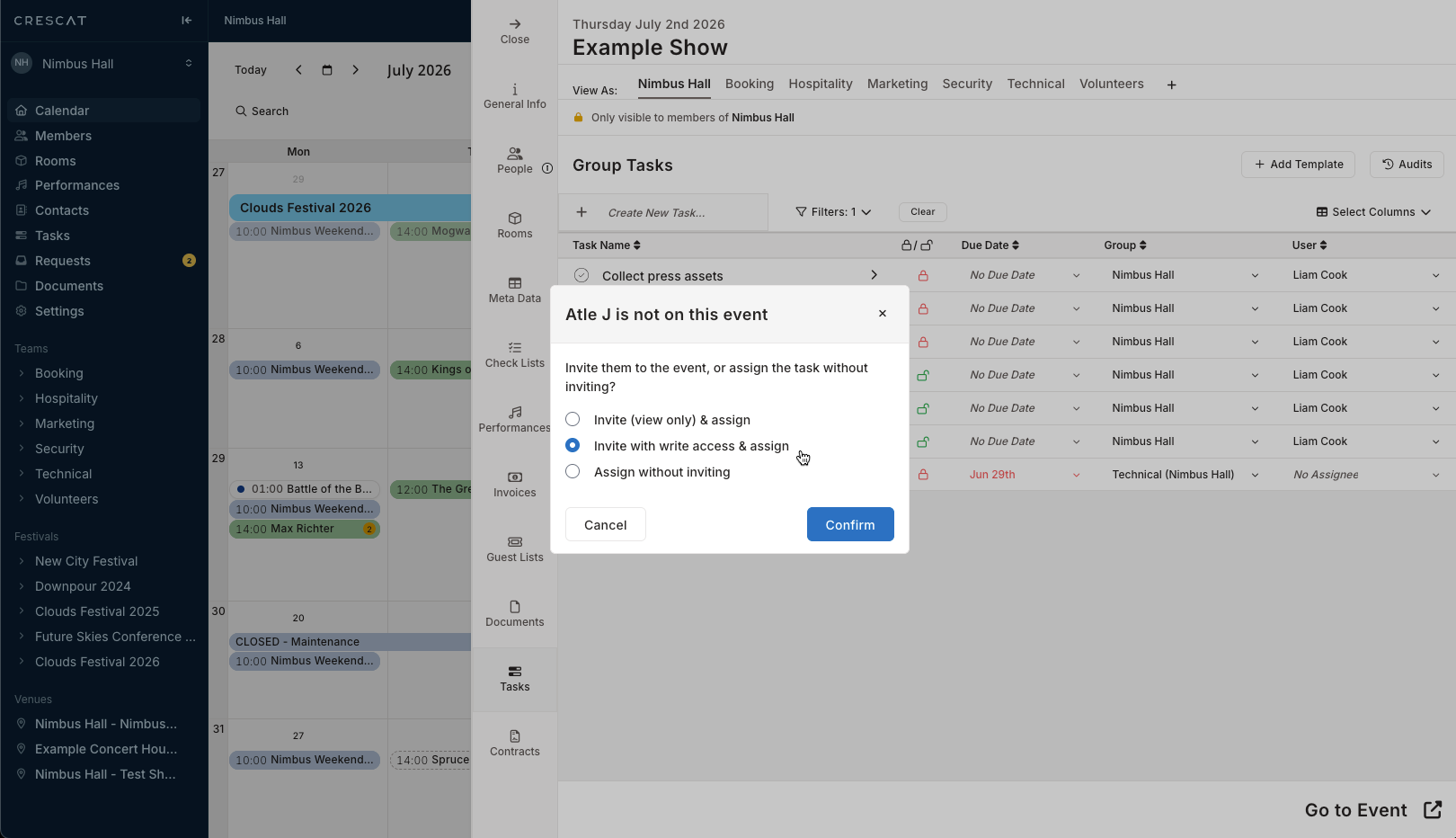
Selecting someone from Other members opens an inline modal titled [Name] is not on this event. You can choose exactly how to onboard them with three tailored options:
- Invite (view only) & assign: Adds the member with view-only permissions and assigns the task simultaneously.
- Invite with write access & assign: Grants full write access and hands off the work instantly.
- Assign without inviting: Hands over the responsibility immediately without changing their event-level access.
A success notification confirms "[Name] has been invited to [event]." as their avatar lands directly on the task, resolving your staffing needs seamlessly.
Centralised Context and Cross-Organisation Tracking
Beyond the onboarding flow, your tasks carry full operational context within a clean, structured layout:
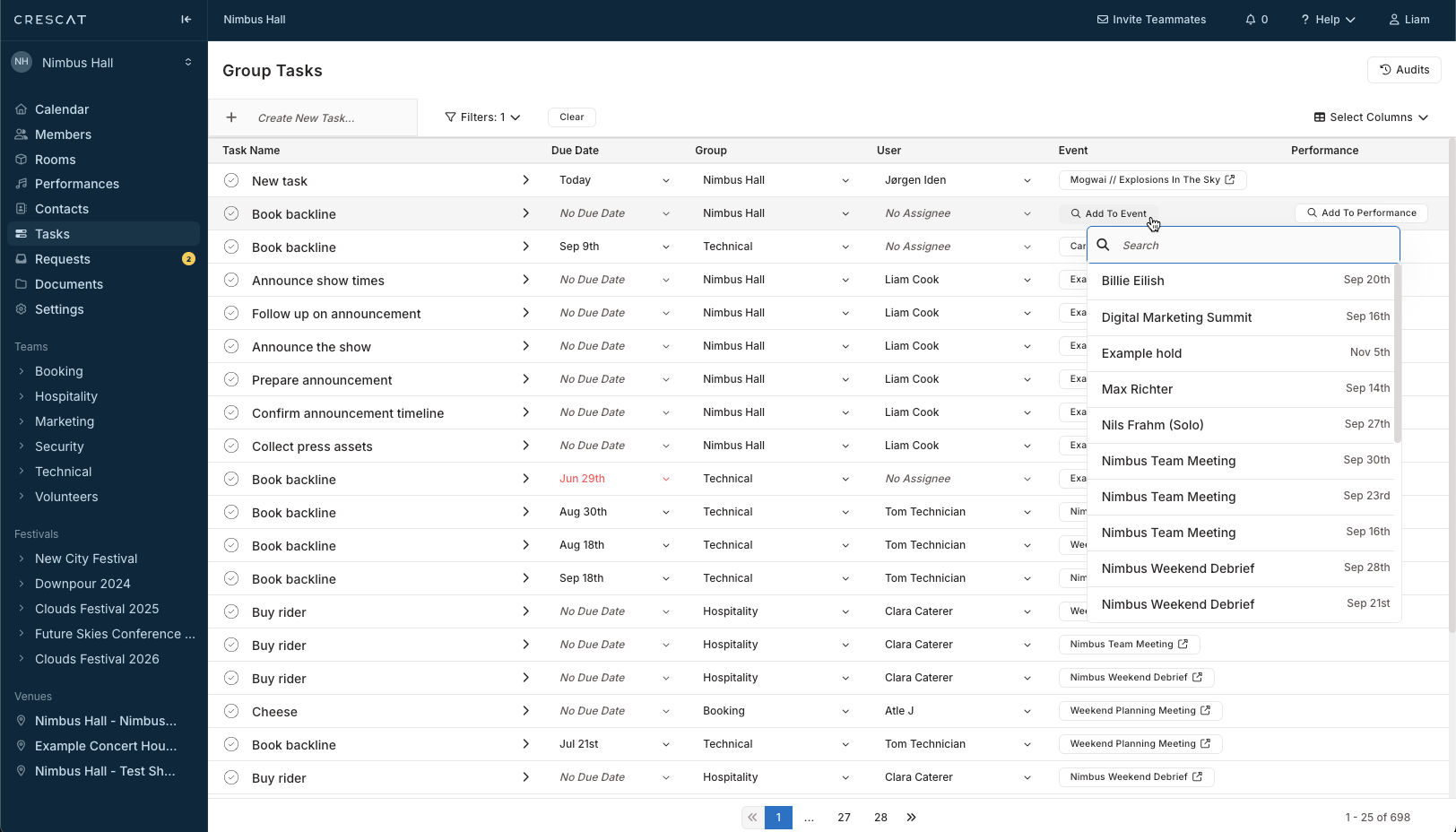
- Direct Event Links: Use Add to Event or Add to Performance to connect a task to an event/performance.
- Automatic Date Tracking: Once linked, the Event Date column automatically populates with the correct scheduling window.
- Clean Grouping Layouts: Use the Group by: Group setting to view your entire personal list beautifully structured by organisation headers and task counts (e.g., 4 Tasks).
The Workflow Payoff
These Tasking updates improve the control you can bring to your daily operations in Crescat. By merging task delegation and event onboarding into one fluid motion, you eliminate administrative steps and keep your team perfectly synchronised.
The enhanced Tasks updates are available now. Log in to your Crescat account today to experience a faster, more integrated way to manage your event workloads.