New Feature: Easy Integration with Calendar Subscriptions
Event planning requires a complete, uninterrupted picture. Your partners' schedules, external team calendars and scheduling considerations need to be easily accessible. To bring these moving parts into a single, cohesive view, we have introduced Calendar Subscriptions.
Simple Setup: Connecting Your iCal Feeds
Bringing external data into Crescat is designed to be completely effortless. With support for external iCal feeds, you can pull in schedules from Google Calendar, Outlook, or another feed without a hitch.
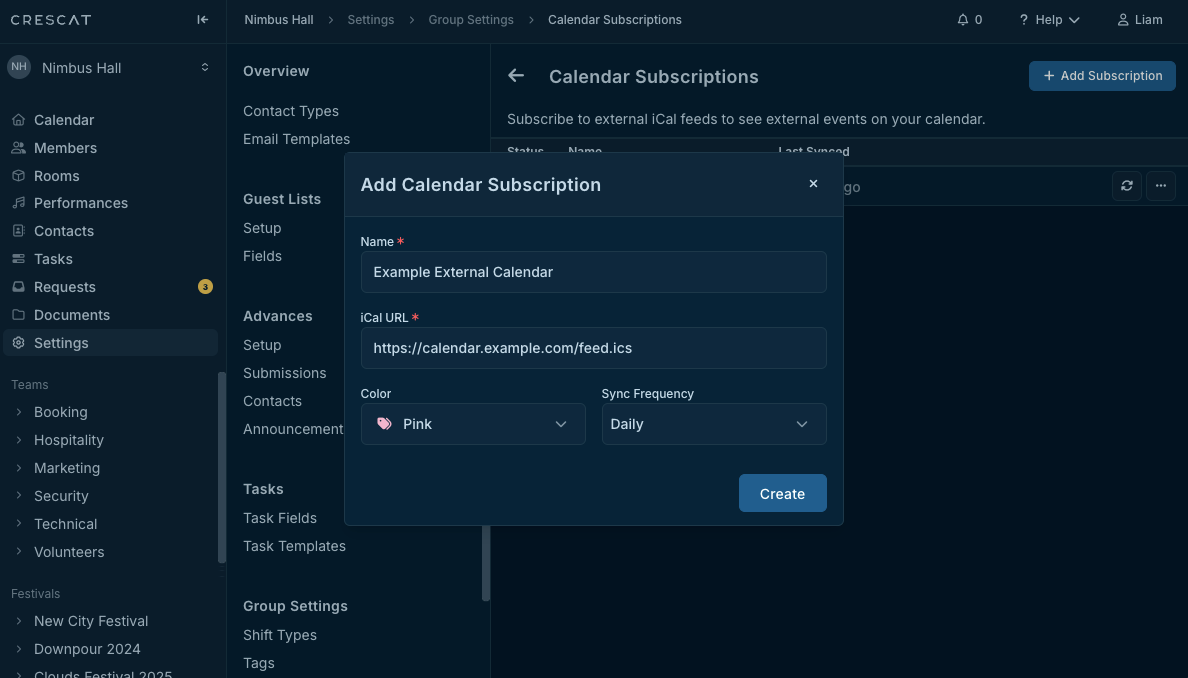
Through the Add Calendar Subscription modal, you can fully customise how this data blends into your workspace:
- Easy Integration: Simply paste any valid iCal URL to establish a secure, automated connection.
- Custom Styling: Give your subscription a specific name and pick a distinct Colour swatch so external events are instantly recognisable on your timeline.
- Tailored Sync Frequency: Choose how often your calendar updates—whether Daily, Weekly, or Monthly—ensuring your schedule always aligns perfectly with your ongoing operations.
Automated Control and Real-Time Health Tracking
Once your feeds are connected, Crescat manages the heavy lifting in the background, keeping your calendar fresh automatically while offering a clear dashboard to monitor the pulse of your data.
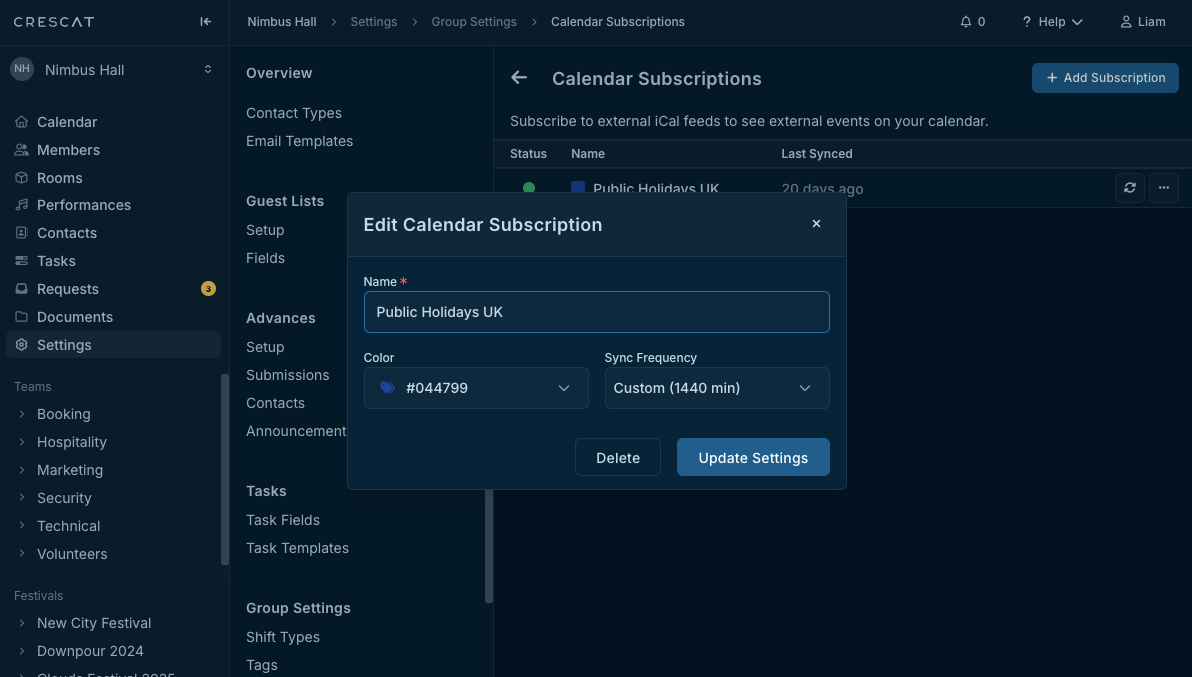
The subscriptions list provides a transparent, high-level overview of your external schedules:
- Live Status Monitoring: A dedicated Status column displays a green Healthy indicator, giving you instant confirmation that your feeds are actively running without errors.
- Timestamp Accuracy: Keep track of the exact moment your calendar last updated with a clear Last Synced readout.
- On-Demand Refreshing: When you need an instant update before a big decision, simply hit the Sync Now button to trigger an immediate refresh.
The Payoff: Rich, In-Context Event Planning
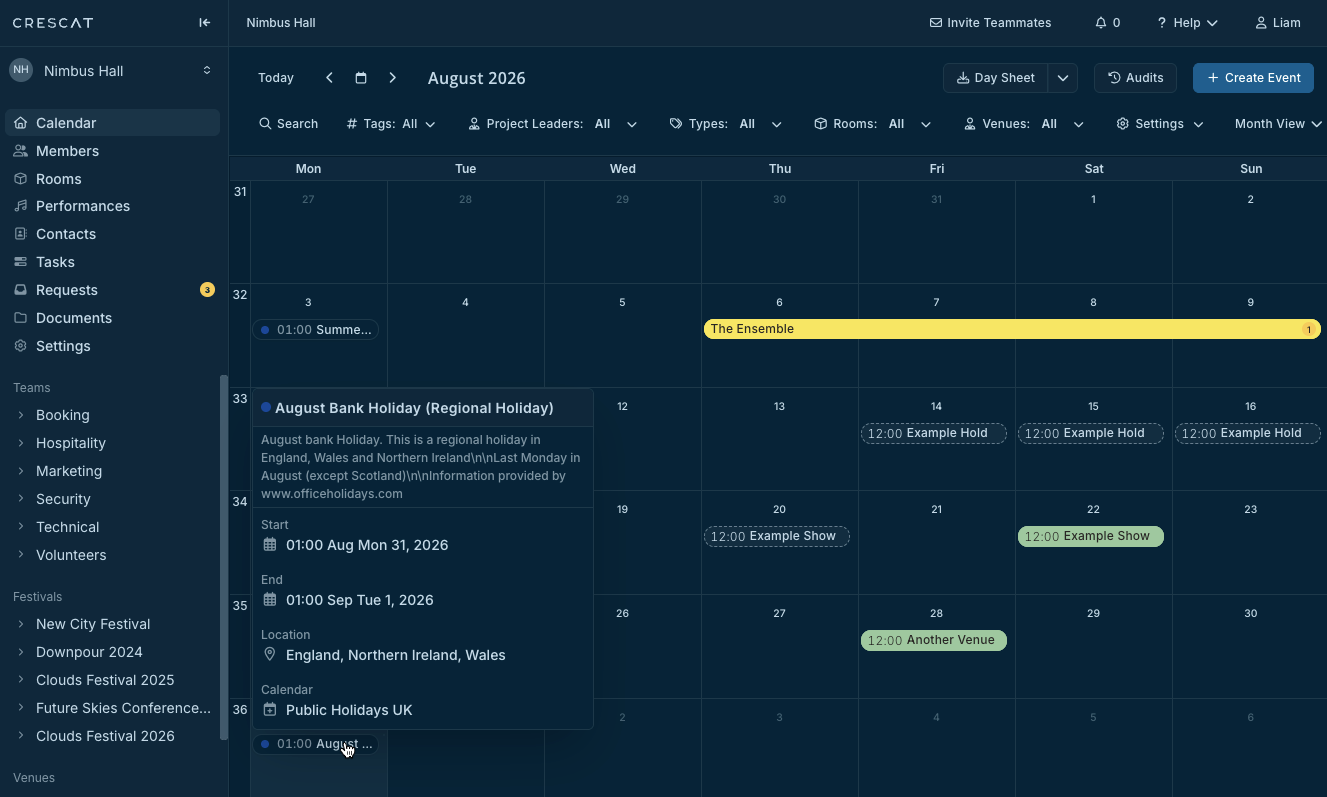
Calendar Subscriptions allows you to see your entire operational landscape in one place. External events materialise alongside your native Crescat events, giving you a comprehensive look at your day, week, or month.
Crucially, these imported schedules aren't just empty shells, they are detailed entries. Hovering over an imported event reveals its further details:
- Complete Event Data: Instantly view Date, Time, and Location tied to the external entry.
- Source Attribution: The Calendar row displays the specific subscription name, ensuring you always know exactly where the schedule originated.
Ready to try out Calendar Subscriptions feature? Register interest here to be given advance access.