New Feature: Expense & Advance Permissions for Festivals
In the fast-paced world of festival production, sharing information is essential, but over-sharing can be a risk. Especially when it comes to the sensitive information that surrounds your artist bookings. It makes sense, talent is the be all and end all in producing a festival, with large parts of the budget allocated to it. So, understandably, you don’t want any errors or miscommunications when it comes to handling these bookings.
Therefore, to help manage this process carefully, we are providing granular access to two key functions in Crescat, handling Artist Advancing and Artist Expenses.
Advances: Focus on the Details, Not the Whole Performance
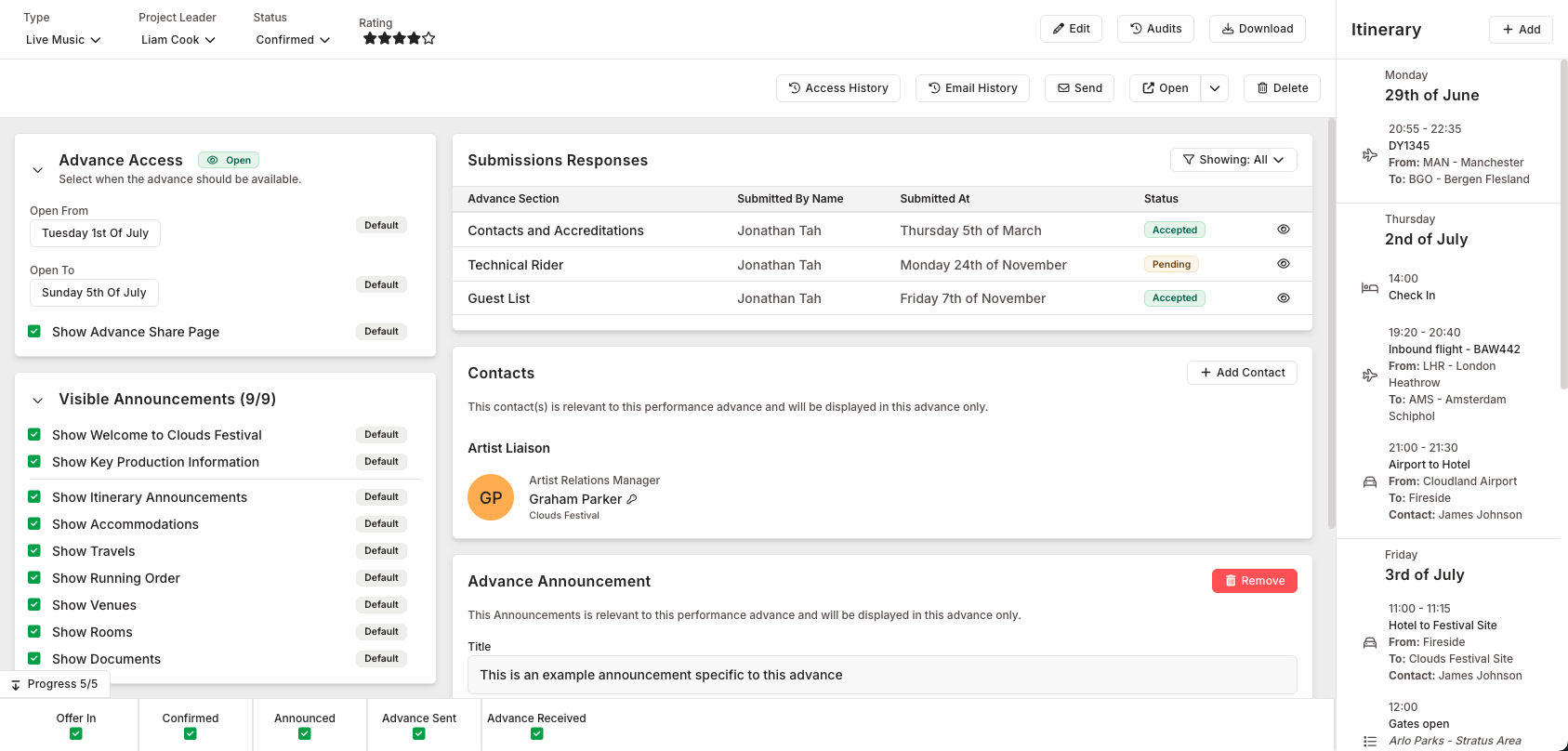
When working with artists, your team needs to handle hospitality, travel, and accommodation details. Previously, this meant seeing the entire Performance page, including contacts, accreditations, and documents.
With the new Advance Permissions, you can strip away the noise.
- The Refined View: Instead of seeing all Performance tabs, a user with specific Advance access sees a clean interface focused solely on the advance forms and logistics.
- Controlled Interaction: You can decide if a user can only view the advance details or if they have the authority to edit them.
Expenses: Protecting Your Financial Bottom Line
Handling receipts and catering costs is a daily task, but that doesn't mean every Artist Liaison needs to see the headliner’s €25,000 fee or the festival's total remaining budget.
Our new Expense Permissions allow you to isolate the ledger.
- Isolate Costs: Users can be restricted to only the Expenses section of the finance page.
- Hide Sensitive Data: Artist fees, deposits, and grand totals are hidden from their view, leaving only the expense ledger items (Description, Budget, Actual, etc).
Building the Right Role in Seconds
The power of these new permissions is housed within the Crescat Roles Manager. Setting up a custom role for Advances and Expenses is simple.
In the permissions table, you will find new dedicated groups for Advances and Expenses. For each, you can select:
- View: Allows the user to see the data without making changes.
- Edit: Gives the user the ability to log new expenses or update advance information.
Real-World Examples: Right Access, Right Role
To help you get started, here is how you might apply these granular permissions to common festival roles:
- Production Coordinator: Grant "View Advances" to ensure they know the artist's hospitality needs without accessing financial documents.
- Finance Lead: Grant "View Expenses" and "Edit Expenses" so they can manage the daily ledger without needing access to travel itineraries.
- Artist Relations: Grant "View Advances" and "Edit Advances" to allow them to finalise details directly with the talent.
By delegating work while protecting your data, you can manage your festival with greater confidence than ever before.
These updates are available now for Crescat Festival users with Performances and Finances. Log in to start refining your team’s access today.