New Feature: Manage your Festival Venue with “Stage View”
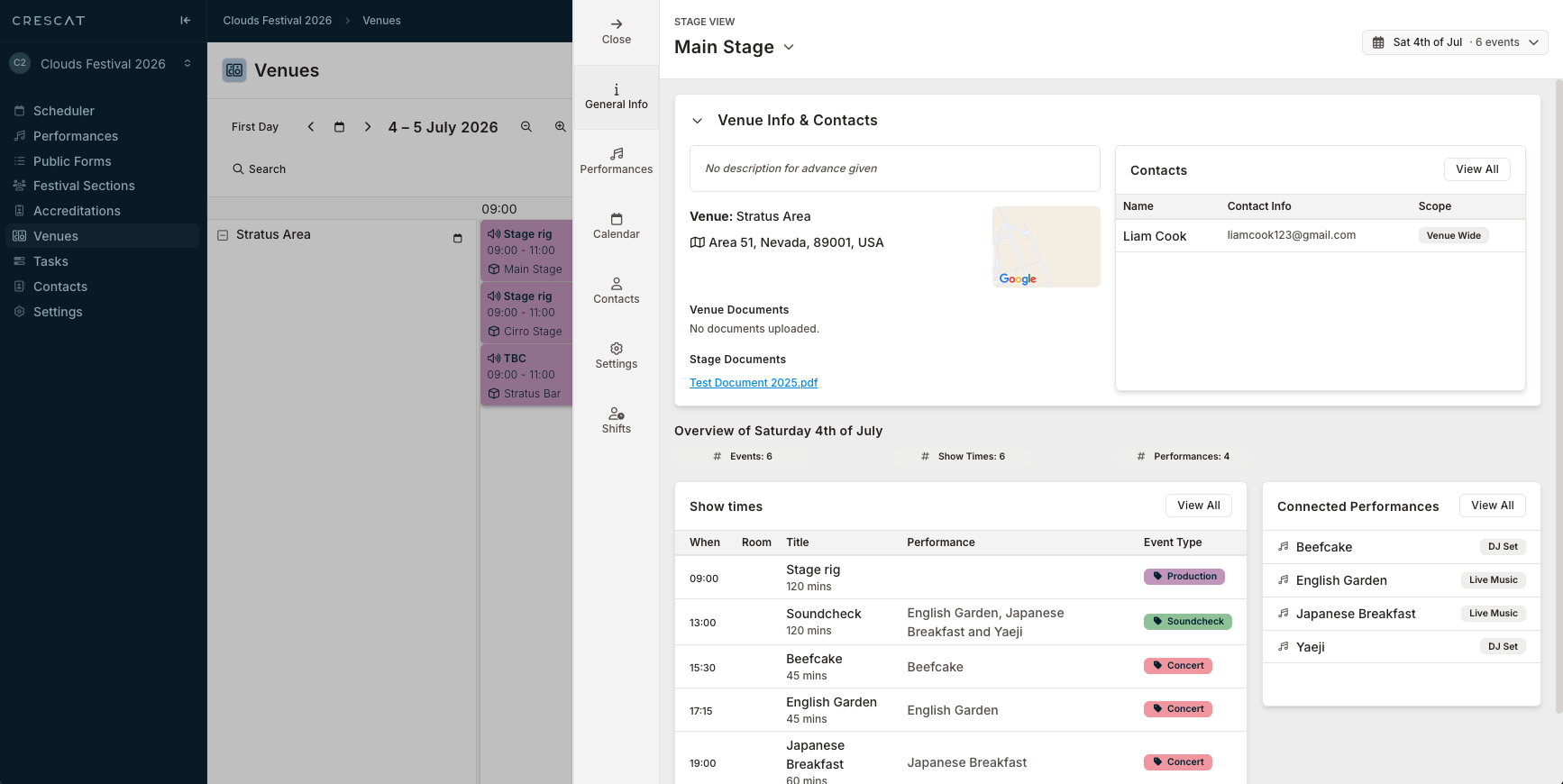
Coordinating a festival requires a clear, real-time understanding of what is happening across your entire venue layout. To streamline how you track active venues, Crescat has rolled out Stage View - a single, centralised slideout that displays everything occurring at a specific location without needing to navigate across the system.
One Slideout, Complete Context
Stage View gathers all essential venue details into a single area, allowing you to instantly switch between core data tabs to find exactly what you need:
- General Info: Instantly view vital Venue Info & Contacts, Events, Rooms, Documents, and Connected Performances.
- Performances: Organise your data your way with flexible grouping selectors, including By Performance, By Info Section, Itinerary, or Contacts.
- Calendar: Review Show times at a glance using a vertical timeline with coloured show blocks, adjusting your view smoothly between All Days and specific dates.
- Contacts: Access real-time Stage Contacts lists complete with names, roles, and specific scopes in context.
Empower Your Teams with Access
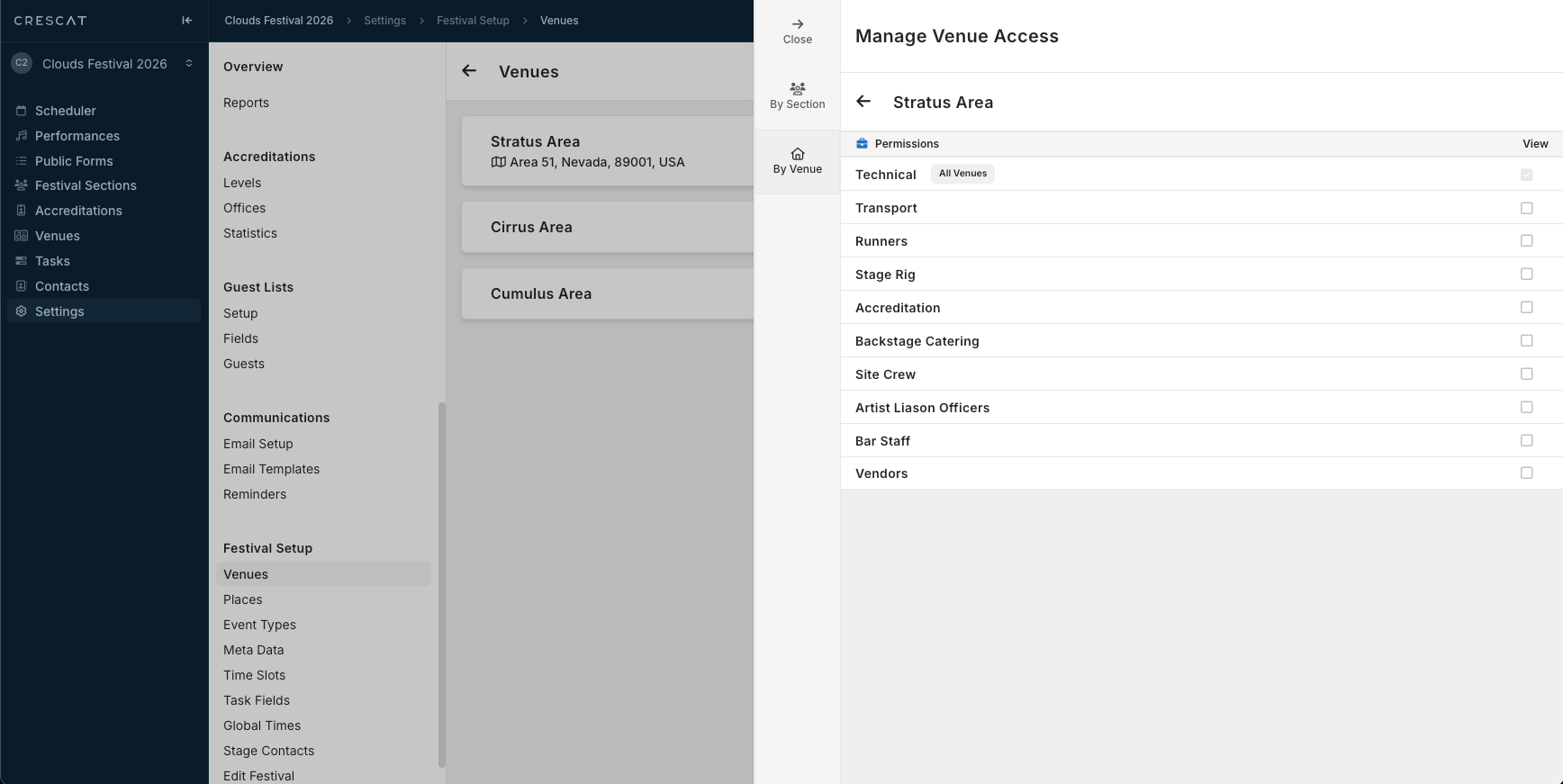
A successful festival relies on seamless cross-department collaboration. Stage View makes it simple to securely distribute this information across your entire event ecosystem:
- Scoped Sharing: Use the Festival Section Access controls to grant view privileges to specific operational teams.
- Department Integration: Ensure key teams such as Production, Technical, Stage Rig, and Backstage Catering can instantly open and review the specific stages relevant to their roles.
The Result
Stage View gives Festival users absolute clarity, by pulling multiple screens into one clean environment, so you can manage your spaces confidently and keep your entire crew aligned.
The Stage View feature is Available Now for festival users. Log in to your Crescat account today to experience a consolidated approach to festival stage/venue management.