New Feature: Easily Manage Event Stakeholders with the new “People” Tab
Behind every event is a wide array of people. From your core internal team to the external vendors, freelancers, and artists who make the magic happen, having a clear overview is essential. Previously, the who, what, where and when of an event often lived across multiple spreadsheets, emails, whatsapps and disorganised systems.
With Crescat, you get a central organisational hub for your events and with our brand new “People” tab, you have a clearer overview of everyone involved in the events, so that you can make clear distinctions between internal and external stakeholders, act decisively and improve collaboration across your events.
Here’s a breakdown of the new “People” tab and how it differs from the previous “Members” experience.
Your Organisation: Internal Scheduling and Access
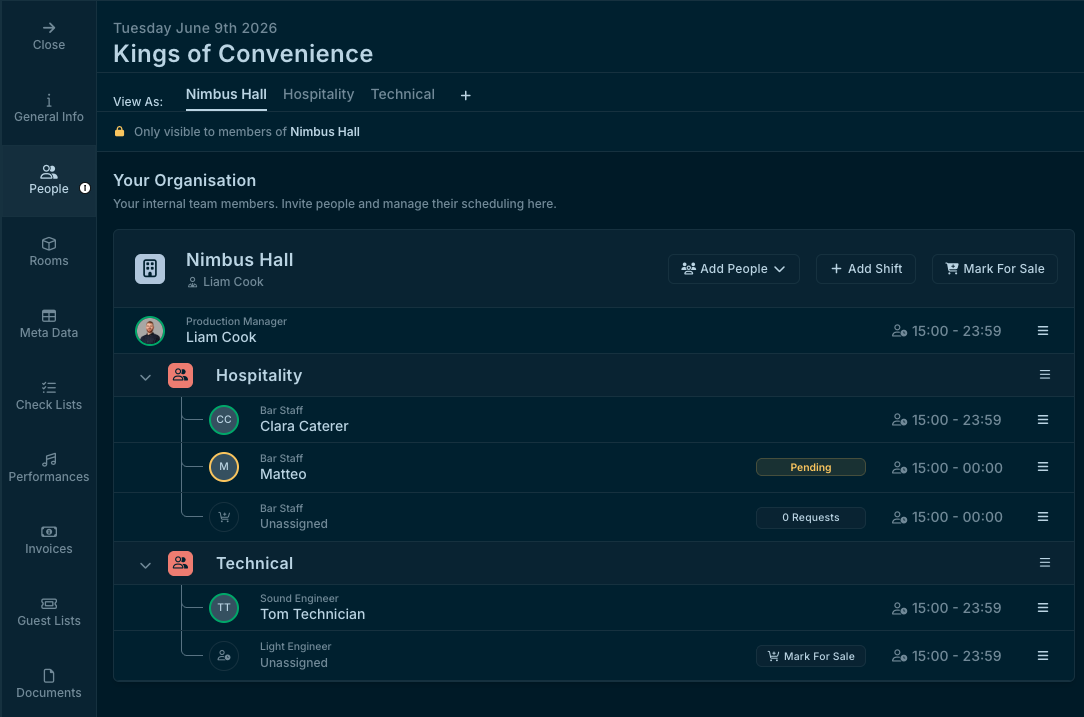
Coordinating your internal team requires precision and clear visibility. Instead of jumping between tools, your core staff is organised at the top of the page in an intuitive internal team tree.
With the new People tab, you gain complete scheduling power:
- The Unified Team Tree: View an hierarchical team tree that displays all members with their avatars and shift times.
- Scheduling Power: Effortlessly organise shift coverage using the "Add Shift" and "Mark for Sale" actions.
- Access Control: Protect your event data with straightforward Read/Write access controls built directly into the team view.
External Contacts & Companies: Unified Partner Management
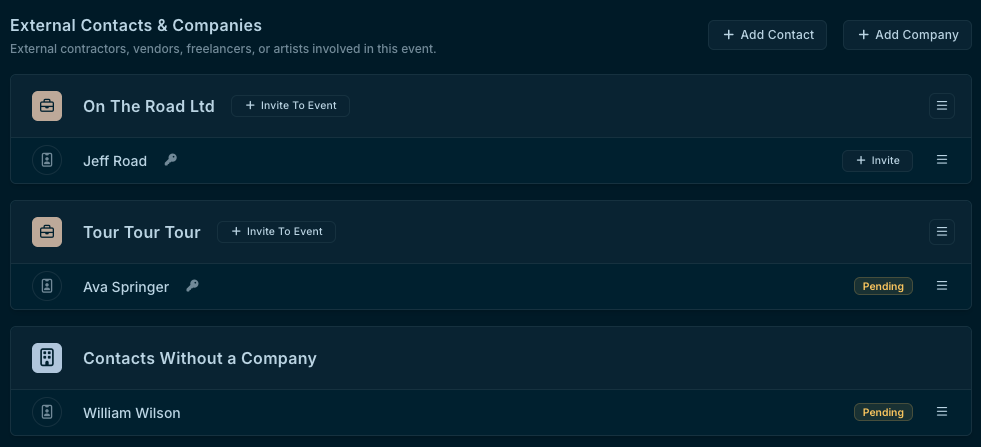
Your event extends far beyond your internal team. Managing external partners is simple and they are fully integrated, sitting directly below your internal team.
Our new workflow allows you to invite and track partners seamlessly:
- Simple Onboarding: Quickly bring external stakeholders and companies into your event using the "Invite to Event" function.
- Real-Time Status Tracking: Monitor access effortlessly with clear badges indicating "Pending", "Declined", and accepted statuses.
- Effortless Follow-Up: Remind quickly and easily with "Resend Invite" option.
The Unified View: Everyone in One Place
The true payoff of the People tab is seeing your internal team and external partners together in a single, unified view, that is simple to navigate regardless how many people are involved, whether it’s 2 or 200 people.
As your event production grows, status counts light up to give you an immediate, high-level picture of your event. Your whole event team - internal and external - is now managed from one tab.
Log in to your Crescat account and navigate to your next event to experience the revamped experience today.