Manage Every Festival Stage with Stage View
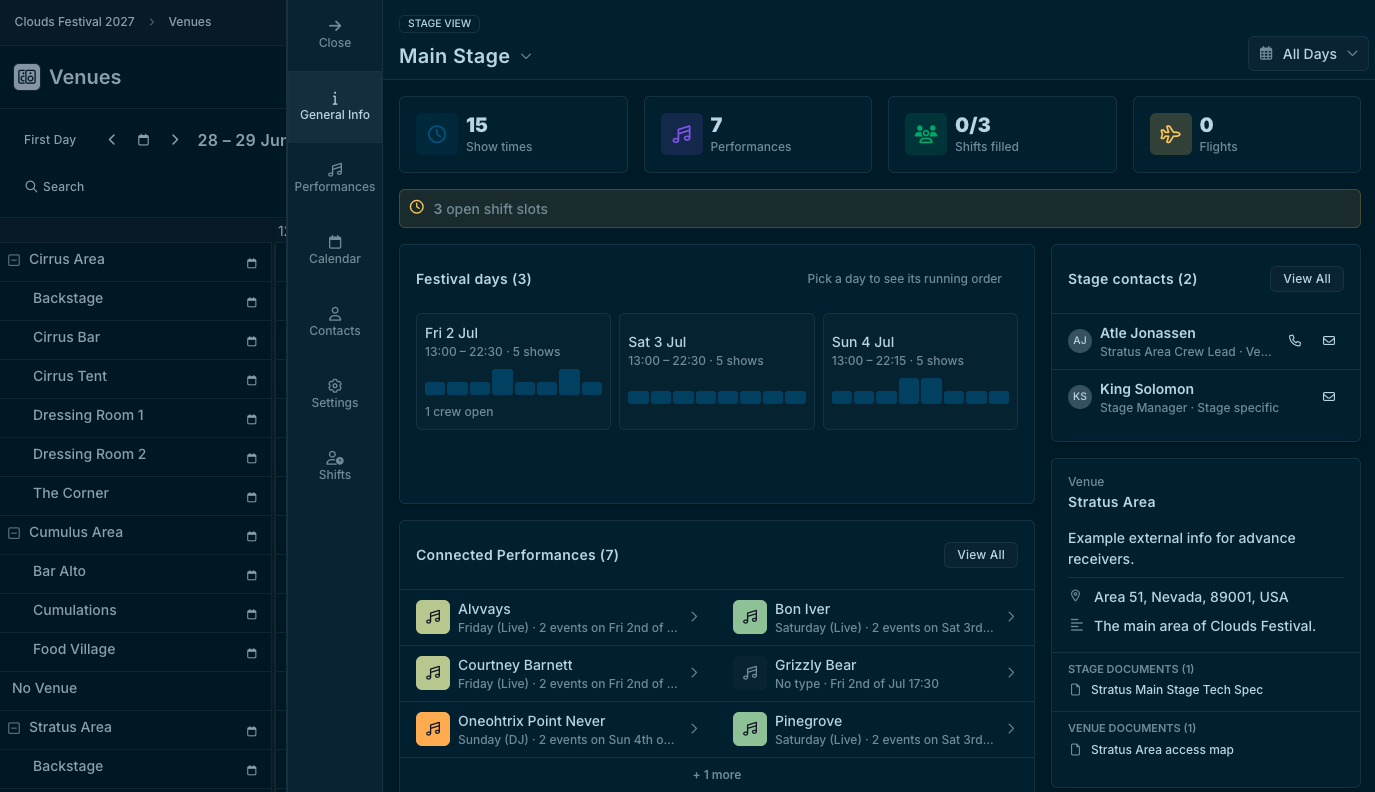
Stage View is a single slideout that shows everything happening at a festival stage or venue, without clicking around the system. It gives stage managers and production teams the full picture of their stage in one place.
One Slideout, Complete Context:
General Info: See the venue's info and contacts, events, rooms, documents and connected performances at a glance.
Performances: Group the stage's performances your way: by performance, by info section, by itinerary or by contacts.
Calendar: Review show times on a vertical timeline with colour-coded show blocks, for all days or a single date.
Contacts: See the stage's contacts with their names, roles and scopes.
Give Teams the Right Access:
Festival Section Access: Use Festival Sections to give specific teams view access to Stage View.
Every Department Covered: Let teams such as Production, Technical, Stage Rig and Backstage Catering open the stages relevant to their roles.
Stage View or Stage Displays?
Stage View is for planning and managing a stage inside Crescat, with all of its details in one slideout.
Stage Displays are on-site screens for the show itself, with a countdown timer for backstage, side of stage and dressing rooms.
Benefits:
Less Clicking Around: Every detail about a stage sits in one place.
Aligned Crews: Every team works from the same stage information.
Confident Stage Management: Know who's on, when, and who to call.
Read more in our Stage View announcement or the Stage View help article.